Many To many Relationship là mối quan hệ hơi phức tạp hơn mối quan hệ 1 - 1 và 1- n. Ví dụ một user có thể có nhiều role khác nhau, trong đó role cũng được liên kết với nhiều user khác nhau.
Vì vậy, trong hướng dẫn này, tôi sẽ hướng dẫn bạn tạo migrate, tạo dữ liệu và truy xuất dữ liệu trong Many to many Relationship.
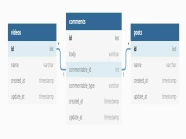
Trong ví dụ này, tôi sẽ tạo các bảng "users", "roles" và "role_users", mỗi bảng đều được liên kết với nhau. Bây giờ chúng ta sẽ tạo Many to many Relationship bằng cách sử dụng laravel Eloquent Model. Đầu tiên chúng ta sẽ tạo migrate, model, truy vấn dữ liệu và sau đó là cách tạo dữ liệu. Vì vậy, chúng ta sẽ thử một làm một ví dụ với cấu trúc bảng cơ sở dữ liệu như sau

Many to Many Relationship sẽ sử dụng "belongsToMany()" cho mối quan hệ.
Bây giờ chúng ta phải tạo bảng users, bảng roles, bảng role_users và thêm foreign key với bảng users và bảng roles. Vì vậy, bạn hãy tạo như hướng dẫn dưới đây:
Tạo migrations
Migration bảng users
Schema::create('users', function (Blueprint $table) {
    $table->id();
    $table->string('name');
    $table->string('email')->unique();
    $table->timestamp('email_verified_at')->nullable();
    $table->string('password');
    $table->rememberToken();
    $table->timestamps();
});
Migration bảng roles
Schema::create('roles', function (Blueprint $table) {
    $table->id();
    $table->string('name');
    $table->timestamps();
});
Migration bảng role_users
Schema::create('role_users', function (Blueprint $table) {
    $table->id();
    $table->unsignedBigInteger('user_id');
    $table->unsignedBigInteger('role_id');
    $table->foreign('user_id')->references('id')->on('users')->onDelete('cascade');
    $table->foreign('role_id')->references('id')->on('roles')->onDelete('cascade');
    $table->timestamps();
});
Tạo models
Model bảng users
<?php
namespace App\Models;
use Illuminate\Notifications\Notifiable;
use Illuminate\Foundation\Auth\User as Authenticatable;

class User extends Authenticatable
{
    use Notifiable;

    /**
     * The attributes that are mass assignable.
     *
     * @var array
     */
    protected $fillable = [
        'name', 'email', 'password',
    ];

    /**
     * The attributes that should be hidden for arrays.
     *
     * @var array
     */
    protected $hidden = [
        'password', 'remember_token',
    ];

    /**
     * The roles that belong to the user.
     */
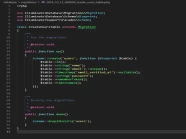
    public function roles()
    {
        return $this->belongsToMany(Role::class, 'role_user');
    }
}
Model bảng roles
<?php
namespace App\Models;

use Illuminate\Database\Eloquent\Model;

class Role extends Model
{
    /**
     * The users that belong to the role.
     */
    public function users()
    {
        return $this->belongsToMany(User::class, 'role_user');
    }
}
Model bảng role_users
<?php
namespace App\Models;

use Illuminate\Database\Eloquent\Model;

class UserRole extends Model
{

}
Truy vấn dữ liệu
$user = User::find(1);
dd($user->roles);
$role = Role::find(1);
dd($role->users);Tạo mới dữ liệu
$user = User::find(2);
$roleIds = [1, 2];
$user->roles()->attach($roleIds);
$user = User::find(3);
$roleIds = [1, 2];
$user->roles()->sync($roleIds);$role = Role::find(1);
$userIds = [3, 4];
$role->users()->attach($userIds);$role = Role::find(2);
$userIds = [3, 4];
$role->users()->sync($userIds);Tôi hy vọng bạn thích hướng dẫn này. Nếu bạn có bất kỳ câu hỏi nào hãy liên hệ với chúng tôi qua trang contact. Cảm ơn bạn.